
How PlanPro works: pin defects on the plan, assign them and sign them off
In short
PlanPro is defect management software for construction. The site manager pins a defect with a photo directly on the construction plan and assigns it to a company with a due date. The company sees only its own defects and reports the fix with a photo. The site manager checks before and after and signs it off. The video shows this flow in 45 seconds.
What the video shows
- 1The starting point: “Zettel. WhatsApp. Excel.” (paper notes, chat, spreadsheets) is struck through.
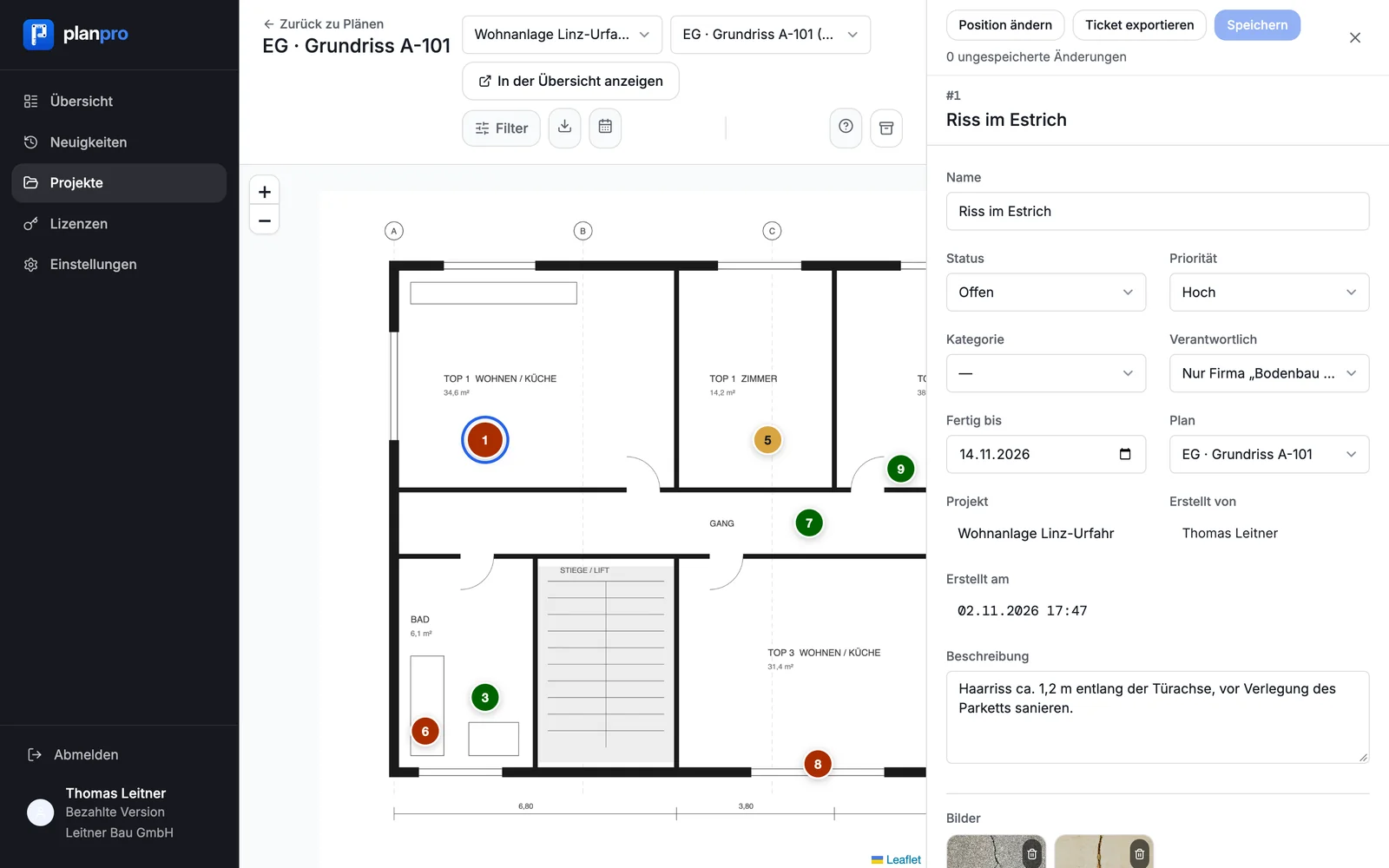
- 2The site manager opens the plan and the ticket for a loose socket in a floor box, with photo, priority, due date and responsible company.
- 3A subcontractor logs in and sees only its own company’s defects in the overview.
- 4The subcontractor comments on the defect and reports it as done.
- 5The site manager compares before and after and sets the status to “Done”.
- 6The closing card: PlanPro, defect management for the construction site.
A written description, also without sound: the video has no voice-over, only on-screen text (in German).
The flow in detail
Five steps from the defect on site to the report for the client. Pick a step.
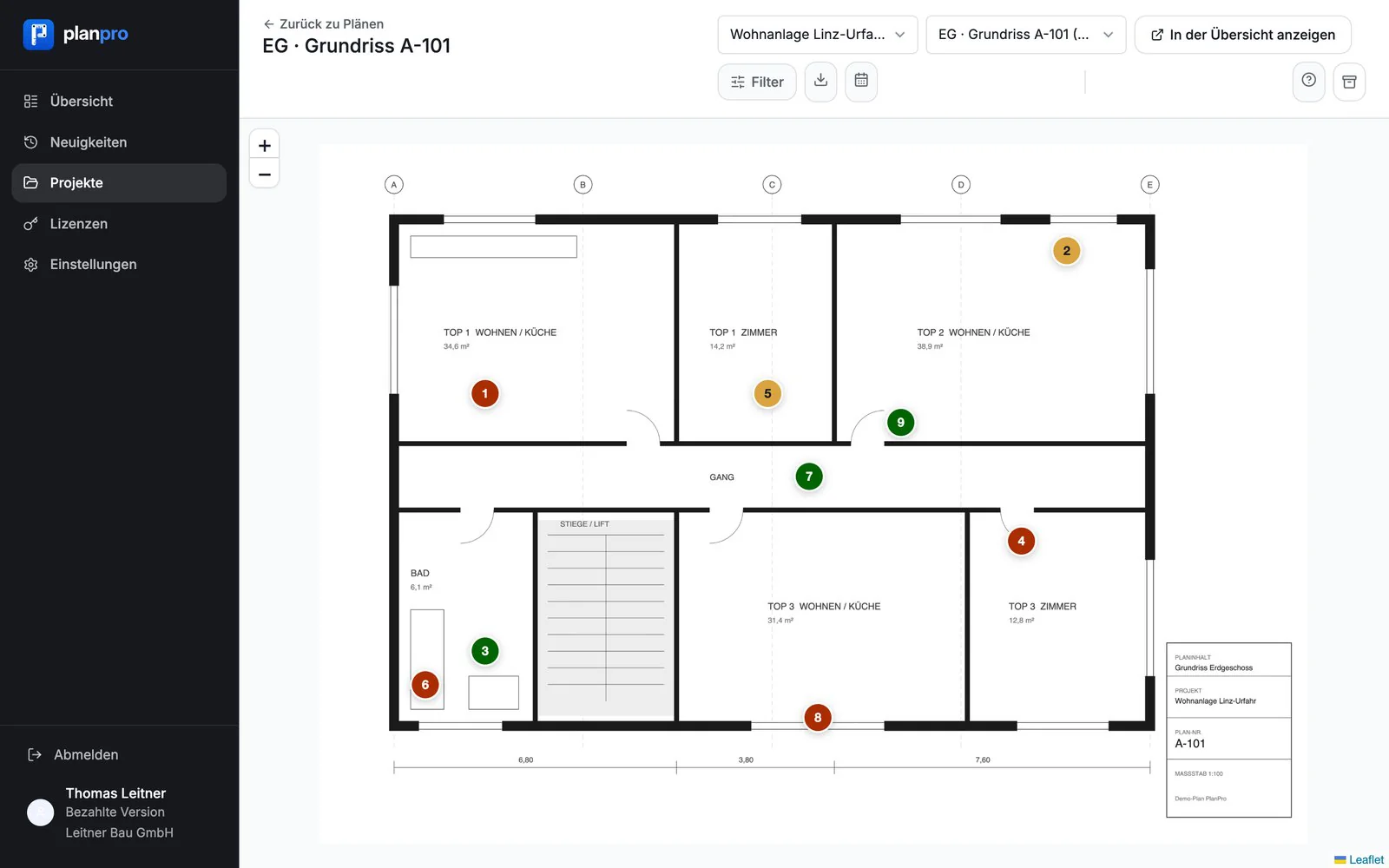
Pin the defect on the plan
The site manager opens the plan and places the defect exactly where it occurs. The markers show the status at a glance: red open, yellow in progress, green done.
Every defect has a photo, a description, a priority, a due date and the responsible company. PlanPro saves location and time automatically.
The subcontractor sees only its own defects
Subcontractors join a project by invitation. In the defect overview the company sees only the defects assigned to it. Other companies’ defects stay hidden.
The subcontractor does not need a licence of its own. Projects, defects, exports and subcontractors are unlimited in every package.
Report the fix with a photo
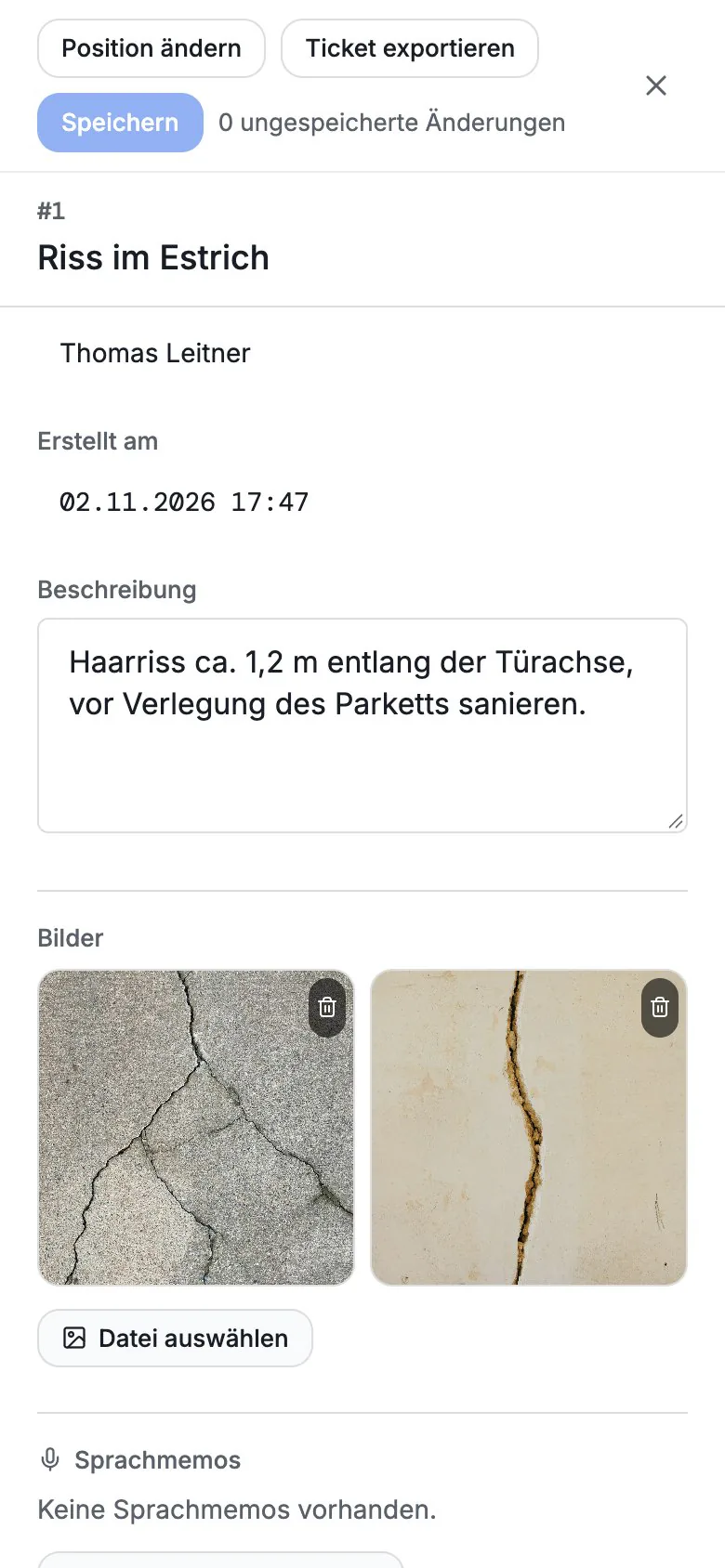
Once the defect is fixed, the company opens the ticket, attaches a photo of the finished work, writes a comment and sets the status to “Done according to subcontractor”.
Photos, comments and status changes stay saved with the defect.
Check before and after, then sign off
The site manager sees the defect with the photo from before, the photo from after and the company’s comment. If the work is right, the status is set to “Done”.
The whole history stays traceable on the defect.
Defect report in one click
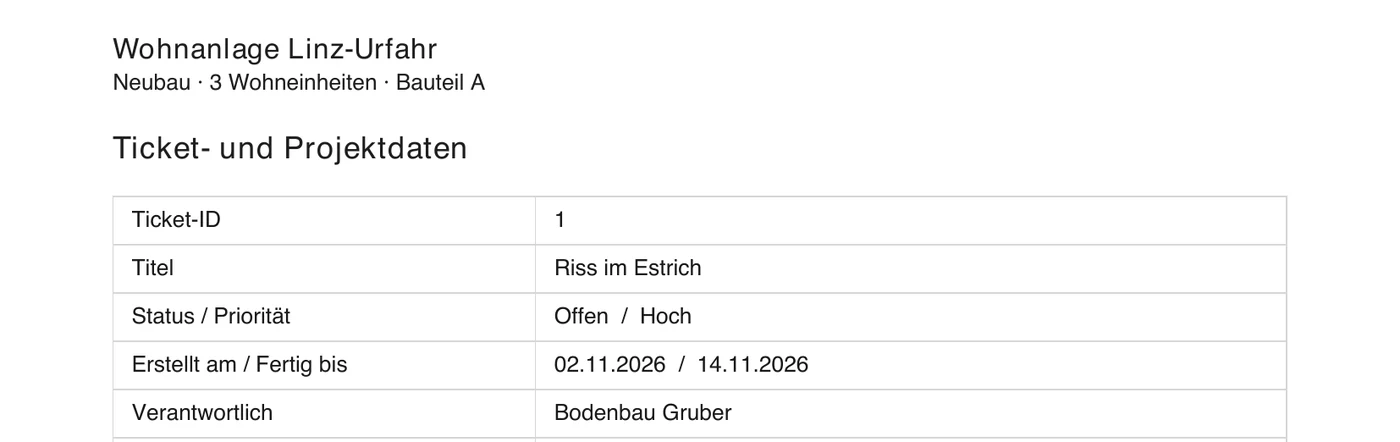
The recorded defects become a PDF report with project data, status, due date, plan excerpt and photos. Defect lists are also available as PDF or Excel.
That way the current state goes straight to the client and everyone involved.
FAQ
Questions about the product
What does the product video show?
In 45 seconds the video shows the whole flow: the site manager records a defect with a photo on the plan, the subcontractor sees only its own defects and reports the fix, and the site manager checks before and after and signs it off. The data comes from a sample project.
Which devices does PlanPro run on?
PlanPro runs on iOS, Android and in the browser. The plan and the defects are in the same state on every device.
Can I try PlanPro for free?
Yes. The free version lets you try every feature with one plan, no credit card needed. If you need more plans, simply choose a package that fits.
How do subcontractors work with PlanPro?
Subcontractors are invited to the project. They see only the defects assigned to their company and mark them as done themselves. The site management then checks and closes them.
Which reports can PlanPro create?
Defect reports as PDF with project data, status, due date, plan excerpt and photos, and defect lists as PDF or Excel. Reports are created with one click and can be passed on to clients and other parties directly.